Tableloom is free, offline board game design software for Windows. Create cards, boards and tokens, playtest your ideas, and print your next prototype. Templates, game data and artwork stay together on your device.
Works offlineNo accountOne portable .tableloom file
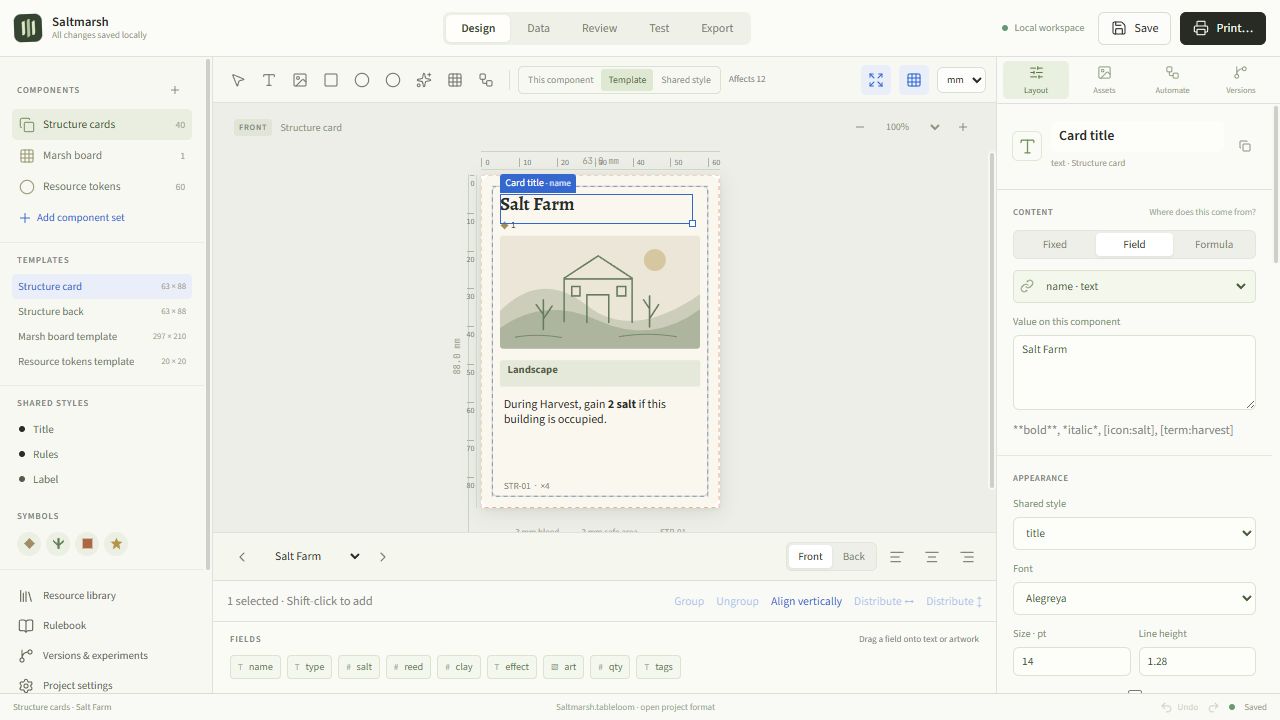
“Salt Farm”, ×4 — affects 12 cards
63 × 88 mm · 3 mm bleed · 3 mm safe
FROM IDEA TO TABLE
From game design to your next playtest.
Five working views share one project. Link your layout to your game data, and when a rule changes, every connected component follows.
DESIGN
Design one card. Build the whole deck.
Create custom playing cards with reusable front and back templates, text, images, symbols, repeaters and shared styles. Every element is measured in millimetres, with bleed and safe area drawn in. Edit the Template for shared changes, or This component for a one-off.
✓Linked fields: name, cost, art — or formulas
✓Inline symbols and **bold** markup in rules text
✓Cards, tokens, hex tiles, boards, player aids, tuckboxes, standees
DATA
Your spreadsheet, but it shows you the card.
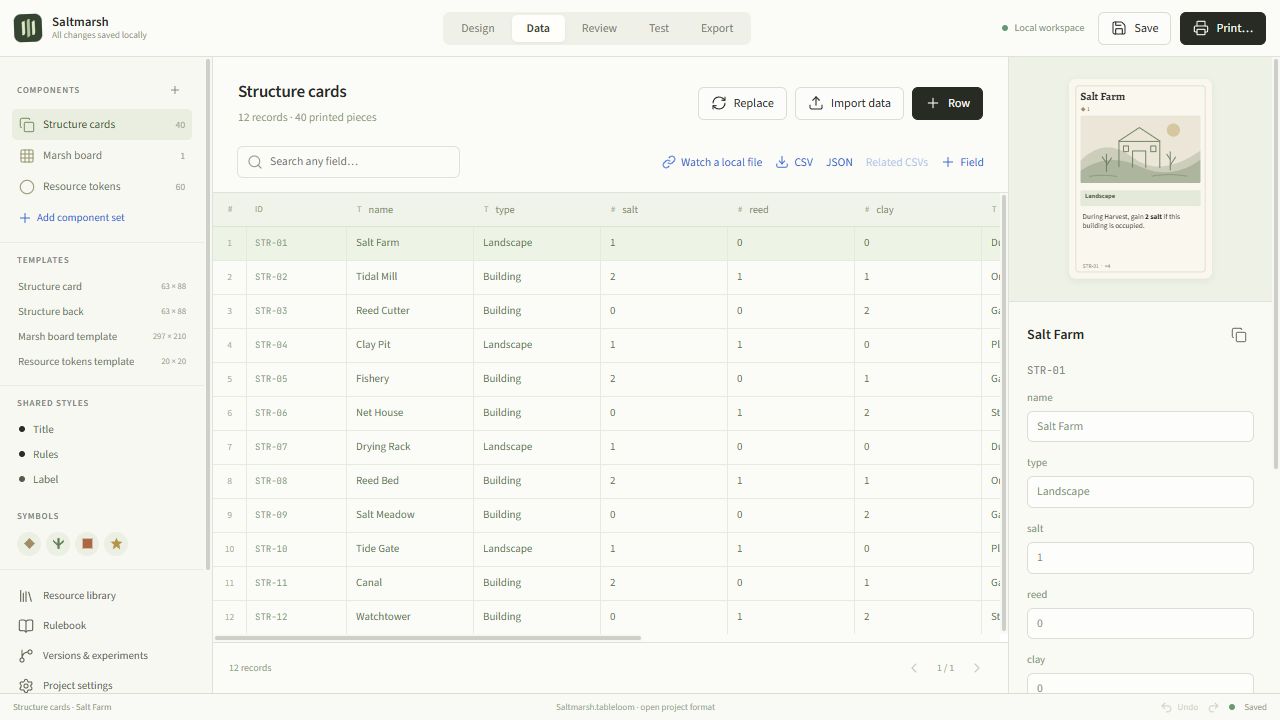
Edit names, costs, quantities and rules next to a live preview. Paste a spreadsheet range, import CSV, TSV, JSON or ODS, and use formulas and child tables for nested data. Changes flow straight into the linked layout.
EXPORT
Print-and-play prototypes, ready for the table.
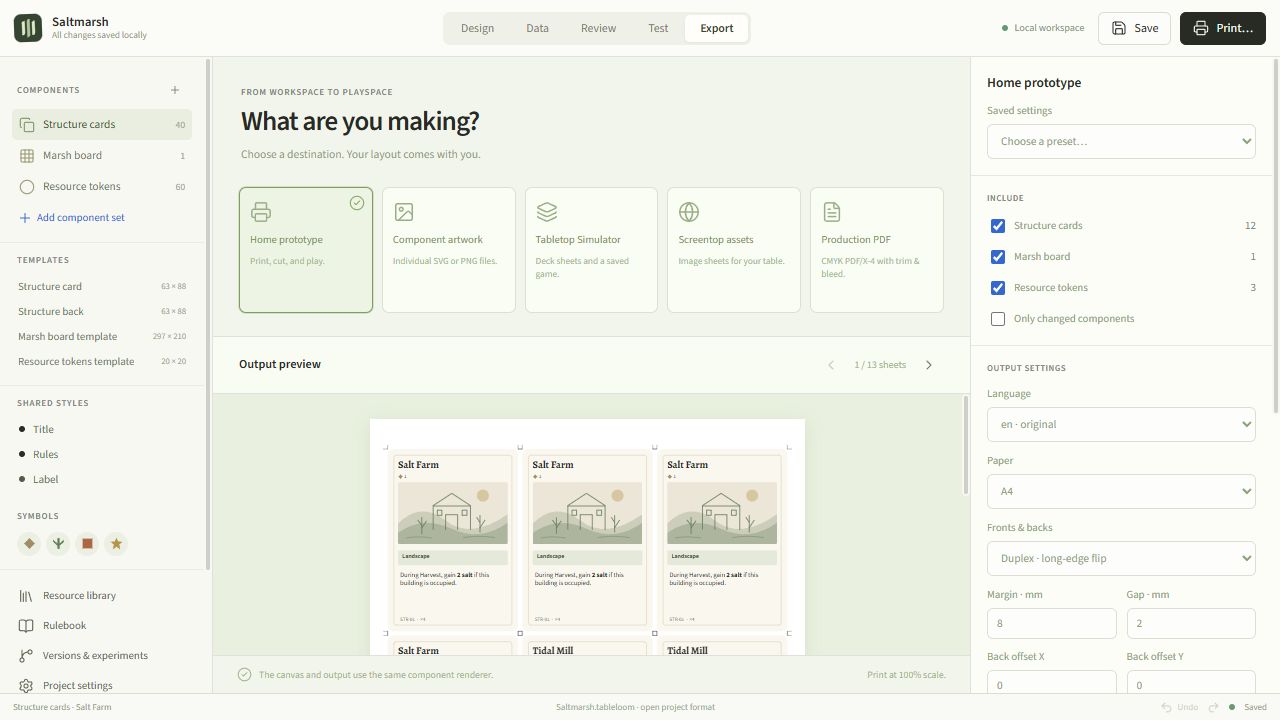
Preview sheets, pair card backs, set duplex offsets and add crop marks. Desktop builds write PDFs directly. Need more than a home printer? Export component artwork as SVG or PNG, deck sheets for Tabletop Simulator or Screentop, or a production PDF/X‑4 with trim and bleed.
Home prototypeComponent artworkTabletop SimulatorScreentopProduction PDF/X‑4
REVIEW
Catch it before the printer does.
Find overflowing text and missing assets, compare saved versions, and see exactly which components changed.
TEST
Playtest before you print.
Drag, flip, rotate, group, draw and discard. Player areas, counters, saved setups, and notes — you resolve the rules, it keeps the pieces.
STARTERS
Six editable game starters.
Saltmarsh, Orchard Market, Wanderlands, Little Machines, Pocket Treasury and Field Notes. Original, editable starters with CC0 artwork.
DOWNLOAD
Download Tableloom for Windows.
Early release for Windows x64. Builds are unsigned — verify the checksum if you like. macOS and Linux packaging is in the source; tested downloads are Windows for now.
Setup — shortcuts & uninstallerPortable — no installChecks GitHub for updates
OPEN SOURCE
Your files stay yours. So does the code.
Tableloom is Apache‑2.0. Projects live on your device as a portable .tableloom file — the editable project, its artwork and saved versions. Authoring and standard exports work offline, no account needed. Built with Electron, Vue 3 and TypeScript; the editor, CLI and exports share one SVG engine.
No. Projects live on your device, and authoring and standard exports work offline. Update checks and optional connected features use the network. No project content is sent during an update check.
What is a .tableloom file?+
A standard ZIP archive holding the editable project, its artwork, and saved versions. Save with Ctrl+S; Tableloom also keeps local recovery copies as you work.
Can it run my game for me?+
The playtest table is manual: players resolve rules and outcomes. Tableloom handles the pieces — dragging, flipping, piles, counters, saved setups and notes.
Is it print-shop ready?+
Home prototypes export straight to PDF. Production PDF/X‑4 conversion needs a separately installed Ghostscript executable and your printer’s CMYK profile — see the Tableloom printing guide.
Mac or Linux?+
Packaging for both is configured in the source, but tested downloads are Windows x64 for now. Builds are unsigned; checksums are published alongside.
Tabletop Simulator or Screentop?+
Exports provide files for import into both. There is no account-based publishing integration.
Is Tableloom free to use?+
Yes. Tableloom is free and open source under the Apache 2.0 license, with no subscription or account required. Download the Windows installer or portable app and start a project.
How do I make my own card game?+
Open an editable starter or create a new project, add your cards, and design a shared template. Enter each card’s name, rules, and artwork in the Data view, or import a spreadsheet. Then try the deck on the manual playtest table and export a PDF for printing.